wbij - a CLI tool for wbijanie zadań 💯
  • Zig 86%
  • HTML 13.9%
  • Dockerfile 0.1%
Find a file
Repository files (latest commit first)
Filename Latest commit message Latest commit date
Adam Maleszka bb4350f97c
All checks were successful
CI / build (push) Successful in 1m59s
[api/satori] add Go as supported CodeLang
2026-11-17 20:00:25 +01:00
.forgejo/workflows [ci] run unit tests using CI 2026-10-10 01:00:57 +02:00
docker [docker] update zig version to 0.17 2026-10-22 18:24:13 +02:00
docs [docs] document the newest design and python update.py mockup 2026-11-04 13:21:21 +01:00
src [api/satori] add Go as supported CodeLang 2026-11-17 20:00:25 +01:00
.dockerignore [docker] docker container for wbij-ci 2026-10-10 01:04:43 +02:00
.gitignore Initial commit 2026-02-02 23:47:30 +01:00
build.zig [build] bump to Zig 0.17.0 and 0.17-compatible mibu/clap/zeit commits 2026-10-22 17:42:21 +02:00
build.zig.zon [build] bump to Zig 0.17.0 and 0.17-compatible mibu/clap/zeit commits 2026-10-22 17:42:21 +02:00
LICENSE Initial commit 2026-02-02 23:47:30 +01:00
README.md [README] add installation instructions 2026-04-25 17:04:54 +02:00

wbij

wbij - a CLI tool for wbijanie zadań 💯
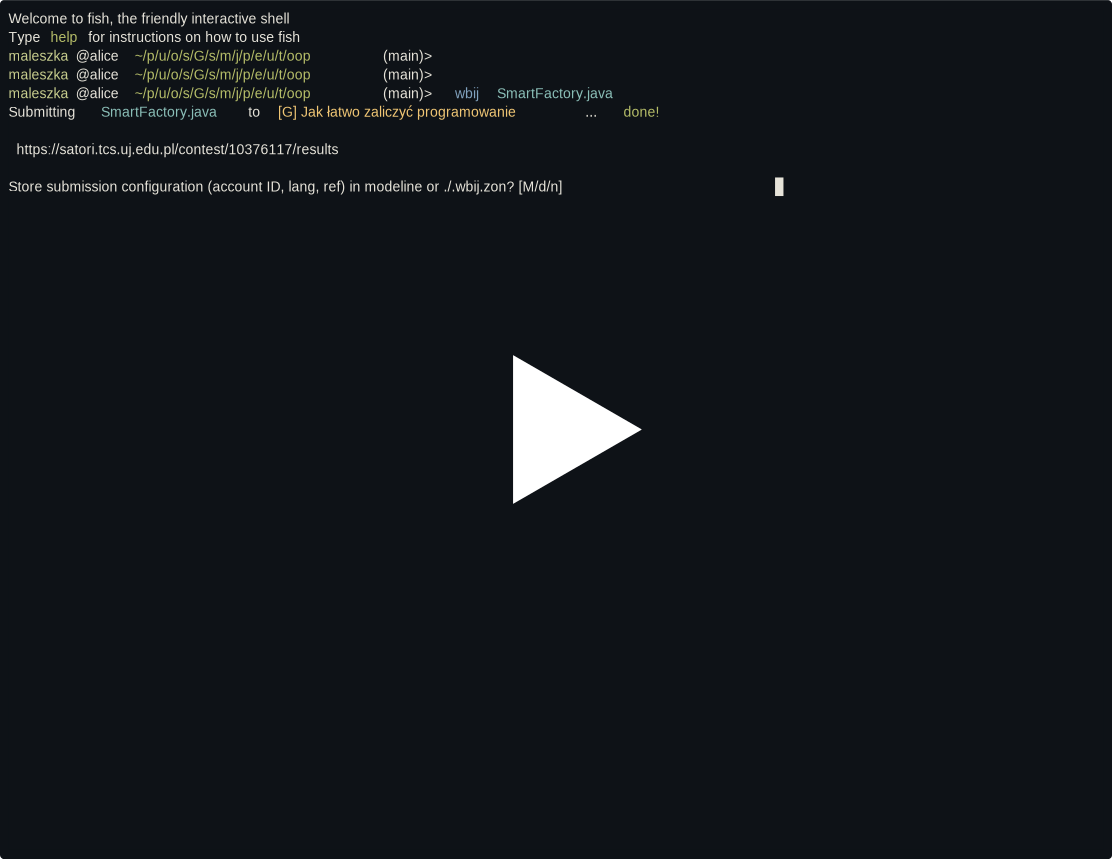
asciicast

Installation

  1. obtain newest wbij binary from releases: https://repos.adamm.rocks/maleszka/wbij/releases
  2. copy it to PATH, e.g. /usr/bin/wbij and mark it as executable chmod +x /usr/bin/wbij
  3. run wbij
  4. enjoy!

System requirements:

  • fzf installed
  • computer

Roadmap

platforms to support: